
HostGator is the right call for early-stage B2B sites and lean teams who need reliable shared hosting without the managed premium. Liquid Web is the right call when your website actively generates leads or revenue and downtime costs you money.
The difference is not really about specs. It is about business risk. Once your site is part of your sales funnel, the calculus on hosting changes.
Here is how to think through the decision.

The Real Difference Between These Two Hosts
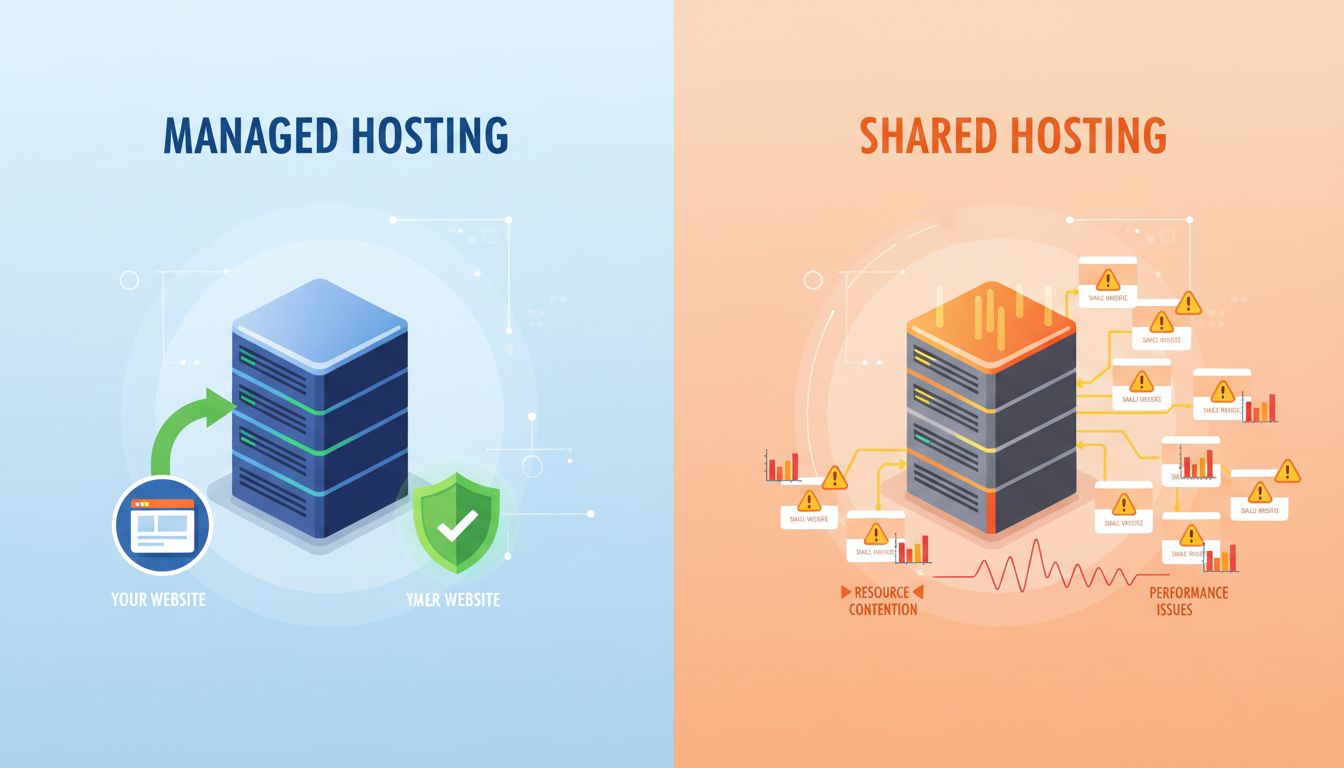
HostGator runs on shared infrastructure. Your site shares server resources with dozens or hundreds of other sites, which keeps costs low but means your performance is partly at the mercy of your server neighbors. It works well for sites with moderate traffic and no mission-critical uptime requirements.
Liquid Web operates at the managed end of the spectrum. You get dedicated resources, hands-on technical support (their team responds to live chat in under 59 seconds, per their published SLA), and infrastructure built around zero downtime. Their Spark plan starts at $24/month and includes managed WordPress, daily backups, and a 100% uptime guarantee.
The pricing gap is real: HostGator starts around $3-5/month on promotional pricing. Liquid Web starts at $24/month and scales up from there. See Liquid Web plans or HostGator plans for current pricing.
For informational sites and early-stage blogs, HostGator is entirely reasonable. For a B2B site that fields inbound inquiries, runs gated content, or routes visitors to a demo request form, the math shifts.
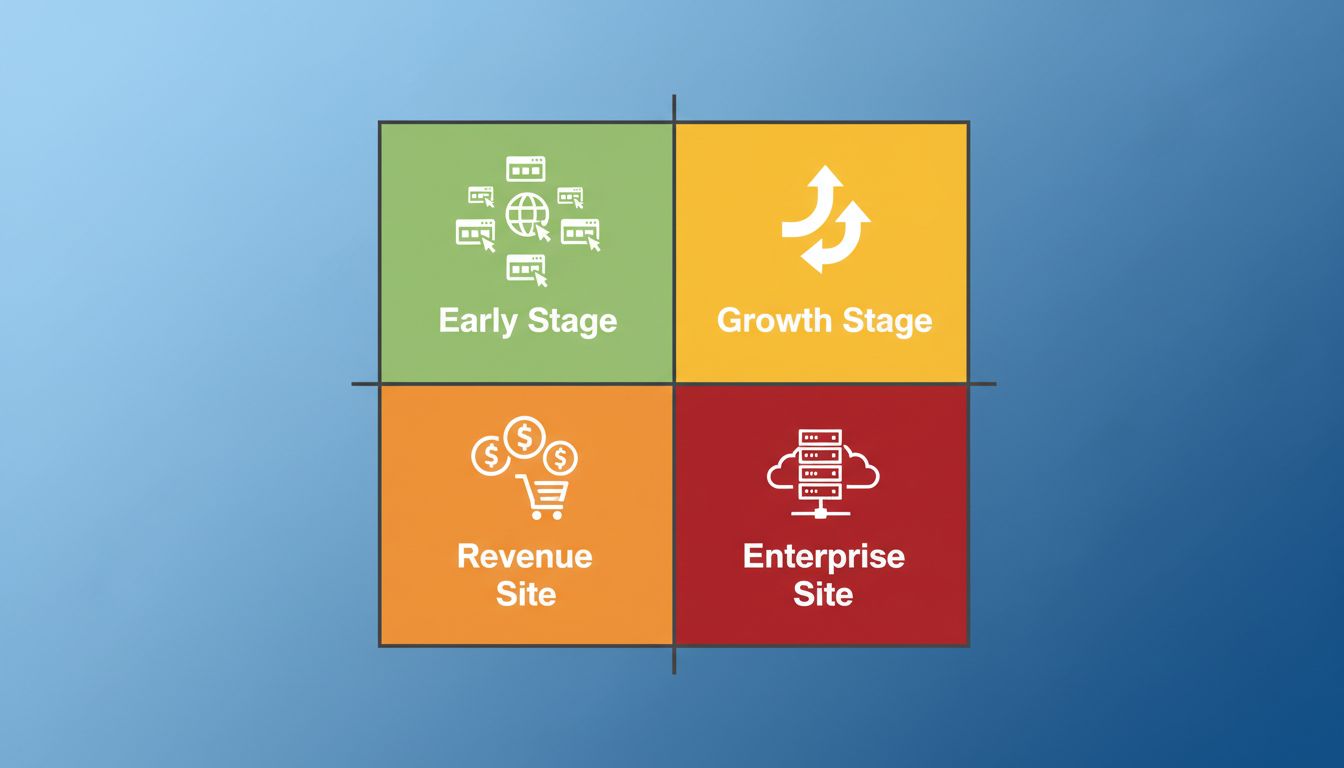
The B2B Hosting Fit Matrix
Before picking between these two, answer three questions. Does your site generate revenue or qualified leads directly? What does one hour of downtime cost you in missed pipeline? And do you have a developer on call, or does someone else need to handle technical issues?
Based on those answers, here is how to place yourself:
| B2B Situation | Best Fit | Why |
|---|---|---|
| New site, under 5k monthly visitors, no active lead gen | HostGator | Cost is low, risk is manageable |
| Growing site, 5k-25k visitors, some inbound leads | HostGator or Liquid Web Spark | Depends on lead value and developer availability |
| Active lead gen or gated content, 25k+ visitors | Liquid Web | Downtime has real revenue cost |
| SaaS product site generating trials or demos | Liquid Web | Performance affects conversion rates directly |
| Agency managing multiple client sites | HostGator reseller or Liquid Web | Depends on client tier and SLA commitments |
This framework, the B2B Hosting Fit Matrix, treats hosting as a revenue risk decision rather than a feature comparison. The specs matter less than whether your site going down at 2pm on a Tuesday costs you a deal.
Head-to-Head: What B2B Teams Actually Care About
Most hosting comparisons lead with load time benchmarks. Those matter, but for B2B decision-makers the more relevant criteria are uptime guarantees, support response times, and what is included versus what requires extra configuration.
| Criteria | HostGator | Liquid Web |
|---|---|---|
| Starting price | ~$3-5/mo (promotional) | $24/mo (managed WordPress) |
| Uptime guarantee | 99.9% | 100% |
| Support response time | Standard queue | 59-second live chat median |
| Managed updates | No (self-managed) | Yes, included |
| Daily backups | Add-on, not included | Yes, included |
| Performance optimization | Basic | Built-in for WordPress |
| Scalability path | Upgrade plans available | VPS/dedicated built in |
| Best for | Early-stage, cost-conscious | Revenue-generating B2B sites |
The 100% uptime guarantee from Liquid Web comes with a service credit structure, which means they put money behind the promise. HostGator’s 99.9% guarantee allows for roughly 9 hours of downtime per year. For a B2B site running paid campaigns or organic traffic built over months, 9 hours is not a rounding error.
Affiliate link — we earn a small commission at no extra cost to you.
What Most B2B Teams Get Wrong When Picking a Host
Most teams pick hosting the same way they pick a free SaaS trial: they go for the cheapest option and plan to upgrade later. That logic works for software. It is a worse strategy for hosting.
Migrating a live WordPress site carries real risk. DNS propagation delays, caching conflicts, and downtime during the move are common. Teams that start on cheap shared hosting and need to migrate to managed hosting later often do it in a crisis: after a site goes down during a product launch, or after speed scores drop enough to hurt paid campaign performance.
The smarter move is to use the B2B Hosting Fit Matrix to pick the right tier for where your site will be in 12 months, not where it is today.
The other mistake teams make is treating page speed as a nice-to-have. Managed WordPress hosting on Liquid Web consistently performs better on Core Web Vitals than HostGator shared plans. That affects both organic rankings and conversion rates. A B2B site converting at 3% with current load times might convert at 4% after moving to faster infrastructure. At scale, that difference is not marginal.
How to Switch Hosting Without Hurting Your B2B SEO
If you are moving from HostGator to Liquid Web, or from any shared plan to managed hosting, this workflow protects your rankings through the migration.
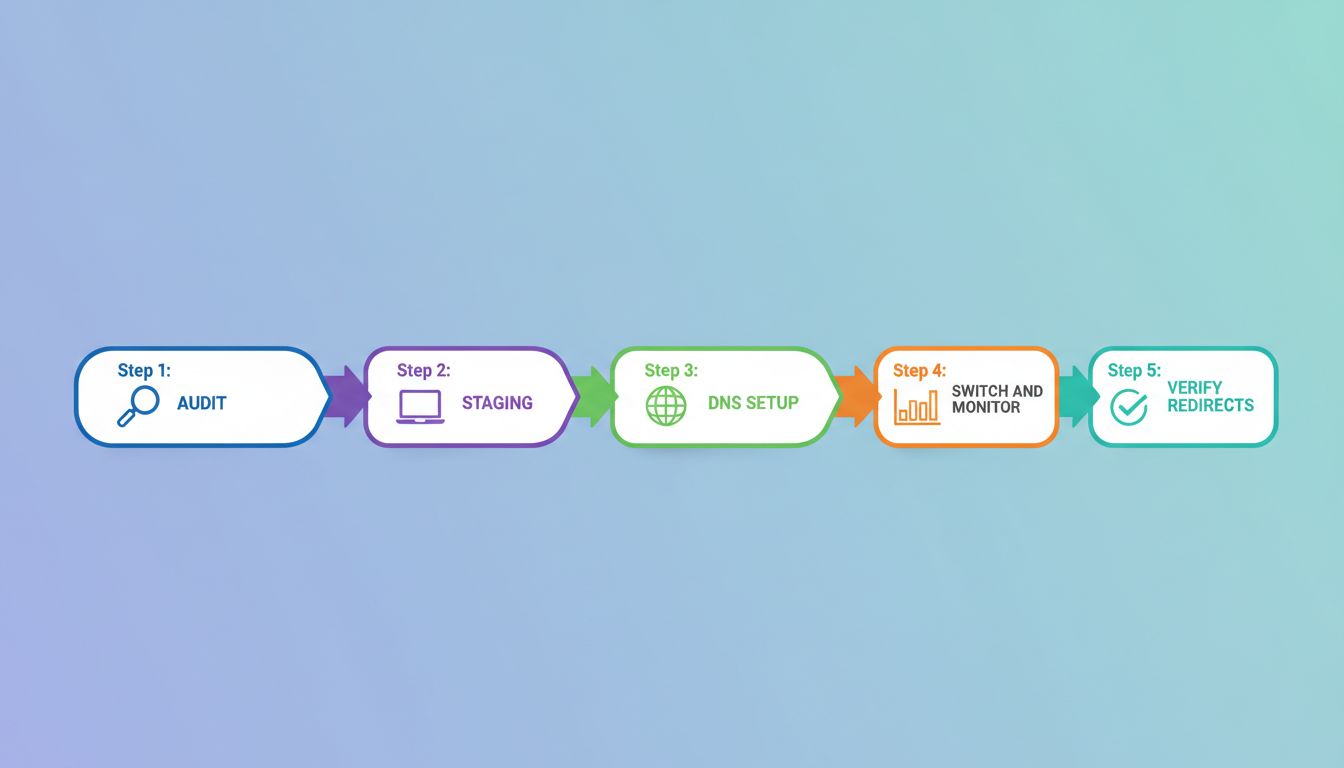
- Audit before you touch anything. Run a crawl with Screaming Frog or Ahrefs to capture your current URL structure, redirect map, and internal linking patterns. This is your before-state. The new host needs to look identical to search engines.
- Build on staging first. Liquid Web offers staging environments. Build a full copy of your site there before pointing any DNS. Test your forms, analytics tracking, and any third-party integrations.
- Lower your TTL before the DNS switch. About 24 hours before switching DNS, lower your TTL to 300 seconds. This shortens propagation from up to 48 hours down to minutes.
- Switch DNS and monitor for 72 hours. After switching, watch Google Search Console for crawl errors and check uptime monitoring. Avoid major content changes during this window.
- Verify every redirect. Your 301 redirects need to work on the new host. Check them manually or use a redirect checker after migration. Missing redirects are the number one SEO loss point in a hosting move.
Most teams who lose rankings during a hosting migration skipped the staging step or failed to monitor post-migration crawl errors. The whole move can be done over a weekend if you plan it.
Frequently Asked Questions
Is Liquid Web worth the cost for a small B2B company?
It depends on what your website does for revenue. If your site generates inbound demo requests or MQL traffic from paid campaigns, the premium is worth it. The monthly cost difference is small compared to the cost of one missed deal or a day of downtime during a campaign. If your site is mostly informational and not yet part of your sales motion, HostGator is fine for now.
Can HostGator handle a B2B site with 10,000 monthly visitors?
Yes, in most cases. HostGator shared plans are adequate for sites under 25,000 monthly visitors with standard load patterns. Where shared hosting struggles is during traffic spikes: a product launch, a viral LinkedIn post, or a paid campaign pushing heavy traffic in a short window. If those scenarios apply to you, consider HostGator VPS plans or a move to Liquid Web.
Does Liquid Web have good WordPress support?
Yes. Their managed WordPress plans include automatic core and plugin updates, daily backups, malware scanning, and 24/7 support from engineers who specialize in WordPress. If you have dealt with generic hosting support on a WordPress issue before, Liquid Web’s support model is noticeably different.
What is the actual speed difference between HostGator and Liquid Web?
Benchmarks vary by test conditions, but managed WordPress hosting on Liquid Web consistently performs better on Time to First Byte and Core Web Vitals than HostGator shared plans. HostGator VPS plans close the gap. Test your current site on GTmetrix before migrating so you have a real baseline for comparison.
Does HostGator have a managed WordPress option?
HostGator does offer managed WordPress plans, but they do not match Liquid Web’s level of proactive management, support depth, or performance configuration. If managed hosting is what you actually need, Liquid Web is the more complete product.
Which is better for a B2B site running gated content?
Gated content depends on form reliability, page speed at the point of conversion, and CRM integration uptime. These are areas where managed hosting earns its premium. Liquid Web’s infrastructure is better suited to conversion-focused B2B sites than HostGator shared plans.
What To Do Next
If your site is early-stage and not yet part of your lead generation motion, start with HostGator. It is cost-effective, reliable for the use case, and you will not be paying for infrastructure you do not need yet.
If your site generates qualified traffic, runs gated content, or is tied to paid campaigns where downtime has a real cost, run the B2B Hosting Fit Matrix above against your current situation. If you land in the managed column, budget for Liquid Web.
Before you switch anything, read the Best Web Hosting for B2B Websites guide to see how both hosts compare to the full field. And if you want to measure whether your hosting decision affects business outcomes, the B2B Content Marketing ROI guide covers the measurement framework.
The hosting decision is not complex. It is a business risk question: what does your website cost you when it goes down? Answer that honestly and the choice between these two becomes straightforward.
Affiliate link — we earn a small commission at no extra cost to you.
