

Quick Answer: What marketing automation workflows should B2B content teams use?
B2B content teams should prioritize these 7 automation workflows: (1) welcome email sequence for new blog subscribers, (2) lead nurture drip for content downloads, (3) re-engagement sequence for inactive subscribers, (4) webinar follow-up sequence, (5) demo no-show recovery email, (6) new post notification to subscribers, and (7) monthly digest. Start with the welcome sequence — it has the highest open rates and sets expectations for your content relationship.
Disclosure: Some links in this post are affiliate links. If you sign up through them, I may earn a commission at no extra cost to you. I only recommend tools I believe are genuinely useful.
Marketing automation workflows for B2B content teams are repeatable, trigger-based sequences that move content from production through distribution and into lead nurturing without manual intervention at every step.
The 7 workflows in this article cover the full content lifecycle: ideation, approval, publishing, distribution, lead scoring, nurture, and performance reporting. Each workflow is designed for small teams (1 to 5 people) and can be built in HubSpot, Marketo, or Zapier.
Table of Contents
Why B2B Content Teams Cannot Scale Without Automation Workflows
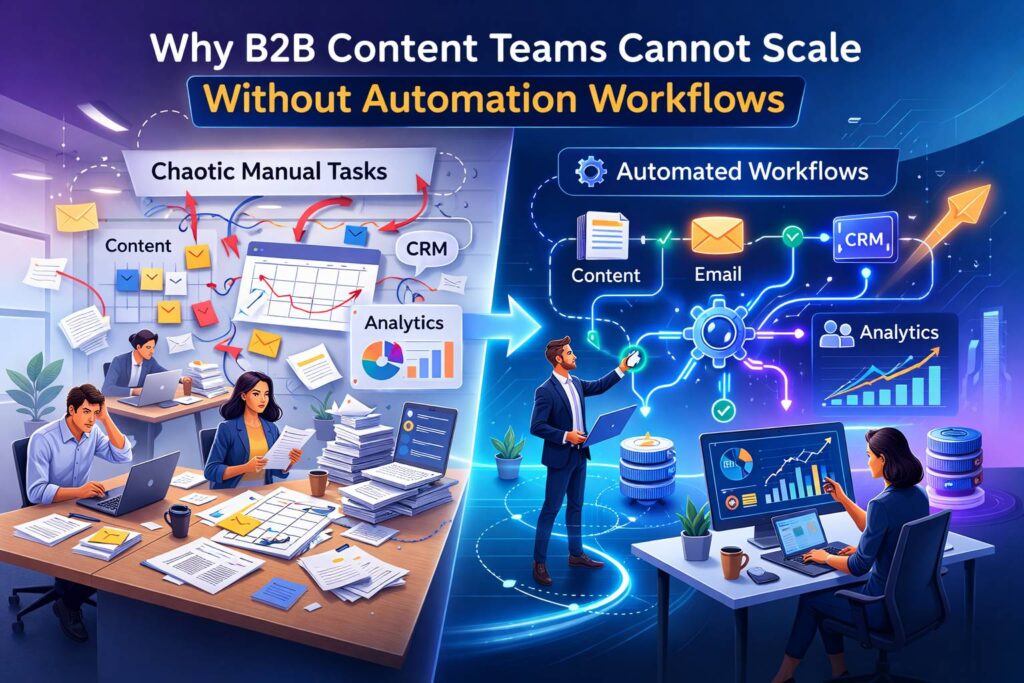
Content automation workflows are the systems that eliminate the manual handoffs killing your team’s output. According to Salesforce’s State of Marketing report, only 31% of marketers are satisfied with their ability to unify customer data across platforms, meaning most teams are still stitching together disconnected tools, tabs, and manual steps just to get a single asset in front of the right person. That is not a content problem. That is a process problem
In practice, what we see is small B2B content teams spending 40% or more of their week on coordination tasks: pinging writers for drafts, manually posting to LinkedIn, copy-pasting leads into CRM fields, and building the same weekly performance report from scratch. None of that is strategy. All of it can be automated.
Stop treating automation as a “nice to have” add-on to your content process. It is the infrastructure that determines how much your team can actually produce and how effectively that content drives revenue.
The common advice is to automate your email nurture sequences and call it done. Here is the problem: email nurture is only one piece of the puzzle. The workflows that compound results are the ones connecting content creation, CRM data, lead behavior, and performance measurement into a single automated system.
The 7 workflows below are structured around the full content operations lifecycle. Each includes a trigger, action steps, tools, and a summary of what it replaces manually.
Workflow 1: Content Ideation and Brief Automation
To automate content ideation, connect your keyword research tool, CRM, and project management system so that content briefs are generated and assigned without a meeting or manual handoff.
A content brief automation workflow is a sequence where a keyword or topic input triggers the creation of a structured brief, assigns it to a writer, and sets a deadline, all without a content manager touching it manually.
How This Workflow Works
- A keyword or topic is flagged in your SEO tool (Ahrefs, Semrush) based on criteria you define: search volume, keyword difficulty, topical relevance to your cluster map.
- A Zapier or Make (formerly Integromat) automation pulls that keyword into a brief template in Notion, Asana, or ClickUp.
- The brief is auto-populated with word count, funnel stage, target persona, and suggested internal links from your topic cluster map.
- The task is assigned to the designated writer with a due date calculated from your editorial calendar cadence.
- A Slack notification fires to alert the writer and content lead.
The real gain here is not speed, it is consistency. Every brief that comes through this workflow has the same structure, the same SEO requirements, and the same context. That reduces revision cycles and cuts brief-to-draft time by roughly 30% based on what SaaS teams report after implementing this.
Tools: Ahrefs or Semrush + Zapier + Notion or Asana + Slack. You can also use the free Content Brief Generator at B2BContentOS to produce structured briefs that slot directly into this workflow.
If you take away one thing from this section: automate the handoff between research and writing. That single step eliminates the most common bottleneck in B2B content operations.
Workflow 2: Editorial Approval and Publishing Automation
To eliminate approval delays, build a status-based workflow that automatically routes content through review stages and triggers publishing without manual scheduling.
Content automation workflows are the systems that eliminate the manual handoffs killing your team’s output. According to the Content Marketing Institute, 41% of B2B marketers cite workflow and content approval processes as a key production challenge, meaning nearly half your peers are losing hours chasing sign-offs rather than shipping content. Status-based automation solves this by removing the need for anyone to manually monitor a content tracker and follow up.
How This Workflow Works
- Writer marks draft as “Ready for Review” in your CMS or project tool (WordPress, Webflow, Notion, HubSpot).
- Automation notifies the editor or content lead via Slack or email with a direct link to the draft.
- If no action is taken within 48 hours, an automated reminder fires.
- Editor approves or returns for revision, triggering a status change.
- On approval, the post is automatically scheduled in your CMS publish queue for the next available slot on your editorial calendar.
- A confirmation Slack message fires to the content lead and writer with the publish date.
The 48-hour auto-reminder is the single highest-ROI element of this workflow. Without it, approved drafts sit in limbo for days while the content lead manually chases editors. Most teams that implement this cut their average approval-to-publish time from 5 to 7 days down to 2 to 3 days.
Tools: HubSpot CMS or WordPress + Zapier + Slack. If your team uses Notion for drafts, Notion + Zapier covers the full chain.
This workflow connects directly to Workflow 3 below. Once content is published, distribution should trigger automatically, not wait for someone to notice the post went live.
Workflow 3: Multi-Channel Content Distribution Automation
To automate content distribution, set up a publish trigger that simultaneously pushes new content to LinkedIn, email, and Slack communities without anyone copy-pasting links.
This is the most underbuilt workflow in B2B content operations. Most teams publish and then manually distribute hours later, or forget entirely. According to HubSpot’s Marketing Report, content promoted across 3 or more channels generates 287% more leads than single-channel content. Automation makes consistent multi-channel distribution achievable for a 2-person team.
How This Workflow Works
- New blog post is published in your CMS.
- RSS feed trigger or CMS webhook fires in Zapier or Buffer.
- LinkedIn post auto-drafts with the post title, excerpt, and URL. It goes to a draft queue for a final human review before posting (do not fully automate LinkedIn posts, your brand voice requires a human touch).
- Email notification auto-sends to your blog subscriber list via your ESP (ConvertKit, HubSpot, Mailchimp) with a “New post” template pre-populated with the headline and intro paragraph.
- A Slack message posts to your internal channel so the team can engage and amplify.
- If you use a Slack community or Slack groups for distribution, a separate trigger posts there with custom copy.
Do not fully automate LinkedIn. Auto-drafting is the right level of automation for social. The workflow gets the content in front of you for a 60-second review and one-click publish rather than asking you to write from scratch.
Tools: Zapier or Make + Buffer or Hootsuite + your ESP + Slack. For teams using HubSpot, the native social publishing and email workflows handle most of this inside one platform.
Once your content is distributed, you need a system to track which visitors are engaging most deeply. That is where Workflow 4 takes over.
Workflow 4: Content-Triggered Lead Scoring Automation
To connect content consumption to lead quality, build behavioral scoring rules that automatically increase a contact’s score when they engage with high-intent content.
Content-triggered lead scoring is a system where specific content interactions, such as reading a pricing comparison post or downloading a ROI template, automatically adjust a contact’s lead score in your CRM to reflect their readiness to buy.
Most B2B teams either do not score leads at all or use static demographic scoring that ignores behavior. That is leaving money on the table. According to Marketo, behavioral lead scoring increases sales-accepted leads by 20% and reduces the cost per qualified lead by 33%.
High-Intent Content Signals to Score
| Content Type | Intent Signal | Score Increase |
| Pricing page visit | High commercial intent | +15 points |
| ROI calculator use | Evaluating business case | +20 points |
| Case study download | Seeking social proof | +12 points |
| Competitor comparison post | Active vendor evaluation | +18 points |
| Product feature article | Feature-level research | +8 points |
| Top-of-funnel blog post | Awareness stage | +3 points |
| Email click on nurture | Re-engagement | +5 points |
| Webinar registration | High engagement intent | +15 points |
How This Workflow Works
- Contact visits a tracked page or downloads a gated asset.
- CRM tracking script (HubSpot, Marketo, Pardot) fires a property update adding the assigned point value to the contact record.
- When cumulative score crosses a threshold (typically 50 to 80 points depending on your sales cycle), the contact is automatically moved to a “Marketing Qualified Lead” list.
- CRM automatically notifies the assigned sales rep with the contact’s content engagement history.
- A task is created in your CRM for the rep to follow up within 24 hours.
The sales notification email is the bridge between marketing automation and actual revenue. Send the rep a summary of every piece of content that contact engaged with. It gives them context for the first conversation and dramatically improves connect rates.
Tools: HubSpot or Marketo for scoring rules and CRM integration. Salesforce + Pardot works for teams already in the Salesforce ecosystem.
Workflow 5: Automated Lead Nurture Sequences by Content Topic
To run topic-relevant lead nurture, segment contacts by the content topic that first attracted them and enroll them in a nurture sequence that continues that conversation rather than starting from scratch.
This is where most automated content workflows fail. The common approach is to dump every new lead into a single generic nurture sequence. Here is the problem: a lead who found you by searching for “SaaS onboarding best practices” has completely different needs than one who found you through a post on “B2B pricing strategy.” Generic sequences feel irrelevant and get ignored.
According to Epsilon, personalized email campaigns deliver 6x higher transaction rates than generic campaigns. Topic-based nurture is the simplest form of relevant personalization.
How This Workflow Works
- New contact fills out a form or subscribes via a specific content page.
- CRM records the original source URL and maps it to a content topic tag (e.g., “pricing,” “onboarding,” “retention”).
- Contact is automatically enrolled in the corresponding nurture sequence: a 4 to 6 email series that continues the conversation on that topic, moving from educational to case study to soft CTA.
- Each email in the sequence includes links to additional related content on your site, driving return visits and increasing lead score.
- If the contact clicks a high-intent link (pricing page, demo CTA), they are automatically removed from the nurture sequence and added to the MQL list from Workflow 4.
- If the contact reaches the end of the sequence without converting, they move to a monthly content digest sequence to maintain engagement.
The exit trigger in step 5 is what separates a good nurture workflow from a great one. Most teams keep sending nurture emails to contacts who have already shown buying intent. That wastes good leads. The moment someone clicks your pricing page mid-nurture, they should be escalated, not continue receiving educational content.
Tools: HubSpot workflows, Marketo engagement programs, or ActiveCampaign automations all support this logic natively.
Workflow 6: Automated Content Performance Reporting
To stop building reports manually, connect your analytics tools to a dashboard that auto-populates weekly and monthly performance data and sends it to stakeholders without anyone touching a spreadsheet.
In practice, what we see is content leads spending 3 to 5 hours per week pulling numbers from Google Analytics, Search Console, HubSpot, and LinkedIn into a single report. That is 12 to 20 hours per month on a task that should take zero human hours.
How This Workflow Works
- Connect Google Analytics 4, Google Search Console, and your CRM to a reporting tool (Looker Studio, Databox, or HubSpot custom reports).
- Build a dashboard with your core content KPIs: organic sessions, keyword rankings, content-attributed leads, email open rates, lead-to-MQL conversion rate.
- Set an automated weekly email digest that sends the dashboard summary to your team and leadership every Monday morning.
- Set a monthly trigger that runs a deeper report comparing content performance to prior-period benchmarks.
- Configure alerts for anomalies: traffic drops over 20%, significant ranking changes, or MQL conversion rate falling below your threshold.
Anomaly alerts are the highest-value element of this workflow because they surface problems you would otherwise discover too late. A 30% organic traffic drop on a Monday morning alert gives you the week to investigate and recover. The same drop discovered during a monthly review costs you 4 weeks of lost opportunity.
Tools: Looker Studio (free) + GA4 + Search Console + HubSpot connector, or Databox for teams that want a faster setup without custom dashboard builds.
Once you know what is performing, you need a system to sync that performance data back into your CRM so sales can see which content is actually influencing pipeline. That is Workflow 7.
Workflow 7: Content-to-CRM Sync for Sales Enablement
To give your sales team content intelligence, build a workflow that automatically logs which content assets each contact has engaged with directly on their CRM record, with no manual data entry required.
This is the workflow that closes the loop between content marketing and sales revenue. Without it, your sales team is flying blind in the first call, with no visibility into what topics the prospect cares about or which pain points brought them to your site.
Gartner research shows that B2B buyers spend only 17% of their total purchase journey actually talking to sales reps, the rest happens through content, peer research, and self-education. That means by the time a rep gets on a call, the buyer has already formed strong opinions. Content engagement data tells you exactly what those opinions were shaped by. Most teams never surface it to sales.
How This Workflow Works
- CRM tracking script captures every page visit, content download, and email click for known contacts.
- A daily Zapier or native CRM automation logs a timeline activity on each contact record summarizing their content engagement from the prior 24 hours.
- A custom CRM property called “Top Content Topic” is automatically updated to reflect the category of content the contact has engaged with most.
- When a rep opens the contact record before a call, they see a full content engagement timeline without asking marketing for it.
- A weekly Slack digest is sent to the sales team listing the top 10 contacts by engagement score and their primary content interest areas.
The weekly Slack digest is underrated. Sales reps rarely log into the CRM proactively to check engagement data. Pushing it to Slack as a curated list turns passive data into active outreach opportunities. Teams that implement this report 15 to 25% increases in rep outreach to warm contacts within the first 30 days.
Tools: HubSpot CRM (native page tracking and timeline activities handle most of this), or Salesforce + Pardot + Slack integration for teams in that ecosystem.
Marketing Automation Workflows: Quick Comparison
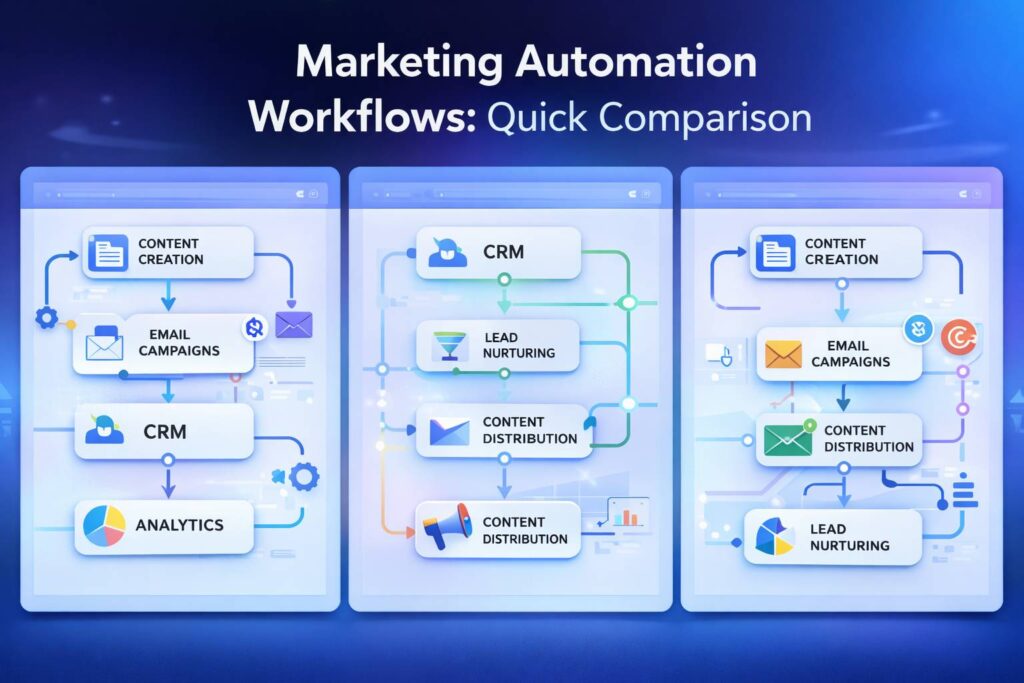
| Workflow | Manual Time Saved | Primary Tool | Difficulty | Impact |
| 1. Ideation and Brief | 3 to 5 hrs/week | Zapier + Notion | Medium | High |
| 2. Approval and Publishing | 2 to 4 hrs/week | Zapier + CMS | Low | High |
| 3. Multi-Channel Distribution | 4 to 6 hrs/week | Buffer + Zapier | Low | Very High |
| 4. Lead Scoring | Ongoing manual updates | HubSpot / Marketo | Medium | Very High |
| 5. Topic Nurture Sequences | 5 to 10 hrs/setup | HubSpot / ActiveCampaign | Medium-High | Very High |
| 6. Performance Reporting | 3 to 5 hrs/week | Looker Studio | Low | High |
| 7. Content-to-CRM Sync | 2 to 3 hrs/week | HubSpot / Salesforce | Medium | High |
Frequently Asked Questions
What is a marketing automation workflow in B2B content?
A marketing automation workflow in B2B content is a trigger-based sequence that automatically moves content or contact data through a defined process without manual intervention. Examples include automatically distributing new blog posts to email and social, routing drafts through an approval process, or enrolling a lead in a nurture sequence when they download a specific asset.
What tools do B2B content teams use for marketing automation workflows?
The most common tools are HubSpot (for teams that want CRM, email, and CMS in one platform), Marketo (for enterprise teams with complex lead scoring needs), Zapier or Make (for connecting tools that do not have native integrations), and Looker Studio (for automated reporting). Most workflows for small teams can be built with HubSpot and Zapier alone.
How do I connect content automation workflows to lead generation?
Connect content automation to lead generation by setting up behavioral lead scoring on your CRM that fires when contacts engage with specific content. Track page visits, downloads, and email clicks as behavioral events, assign point values based on intent level, and trigger CRM workflows when contacts cross a scoring threshold that indicates sales readiness.
How long does it take to build a content automation workflow?
Simple workflows like distribution and reporting can be built and tested in 2 to 4 hours using tools like Zapier and Looker Studio. More complex workflows like lead scoring and topic-based nurture sequences require 8 to 16 hours of setup time, including defining scoring logic, building email templates, and testing trigger conditions. Most teams see full workflows operational within 2 to 3 weeks.
What should I automate first as a small B2B content team?
Start with content distribution (Workflow 3) because it delivers immediate time savings with low setup complexity. The second highest-ROI starting point is performance reporting (Workflow 6) because it eliminates the manual reporting hours that most content leads spend every week. Lead scoring and nurture sequences (Workflows 4 and 5) come next once your distribution and reporting infrastructure is stable.
Can small B2B teams realistically implement all 7 automation workflows?
Yes, but do not try to build all 7 at once. Prioritize by time saved and revenue impact. A 2-person team can realistically implement 3 to 4 workflows in the first 30 days. Start with distribution, reporting, and approval automation. Add lead scoring and nurture over months 2 and 3. By month 6, a team of 2 can have a fully automated content operations system running.
What to Do Next
Pick one workflow from this list and build it this week. Do not plan all 7. Do not build a workflow map. Pick the one that eliminates the most manual work your team is doing right now.
If your biggest pain point is time, start with Workflow 3 (distribution) or Workflow 6 (reporting). If your biggest pain point is lead quality or sales alignment, start with Workflow 4 (lead scoring) or Workflow 7 (CRM sync).
The next step after building your first automation workflow is auditing your content to ensure you are distributing the right assets. A content audit reveals which pages are generating leads, which are invisible to search, and which should be consolidated or cut. That context makes your automation workflows significantly more effective because you are not automating the distribution of content that does not work.
📧 Recommended Email Tool for B2B Teams
If you need a reliable email platform to run your automation workflows, AWeber is built for exactly this — trusted by 100,000+ small businesses, strong deliverability, and a free plan up to 500 subscribers. Try AWeber free →
