
Quick Answer: What is the content refresh checklist for B2B blogs?
A B2B content refresh checklist includes: checking current rankings and impressions in Google Search Console, updating outdated statistics and tool references, improving the title and meta description for CTR, adding internal links to newer related posts, updating the publish date after substantive changes, and adding a Quick Answer section at the top for AI search visibility. Prioritize posts with existing impressions but poor click-through rates for the highest ROI.
Disclosure: Some links in this post are affiliate links. If you sign up through them, I may earn a commission at no extra cost to you. I only recommend tools I believe are genuinely useful.
A content refresh checklist should be a checklist. Most of the ones ranking for that exact phrase are 2,200 to 4,500-word essays with a checklist buried somewhere around paragraph forty. If you searched for this because you have a stack of old posts to fix and twenty minutes before your next meeting, here is the actual list, plus a way to decide which posts are worth the effort before you start.
Table of Contents
Why Most “Refresh Checklists” Online Are Actually Long-Form Guides
Search “content refresh checklist” right now and you will land on guides running 4,000+ words that walk through SERP analysis, search intent theory, and content strategy philosophy before they give you anything to act on. They are useful if you want to understand refresh strategy from first principles. They are not useful at 4pm on a Thursday when you have twelve posts flagged and need to know what to actually do to each one.
None of them give you a fast way to decide which posts deserve a full rewrite, which need a light touch, and which should just be left alone or killed. That is the gap this checklist fills, plus the structured data update step almost none of them mention, which matters more than it used to now that AI answer engines pull directly from page markup.
The Refresh Worth-It Score: Decide What Deserves Your Time First
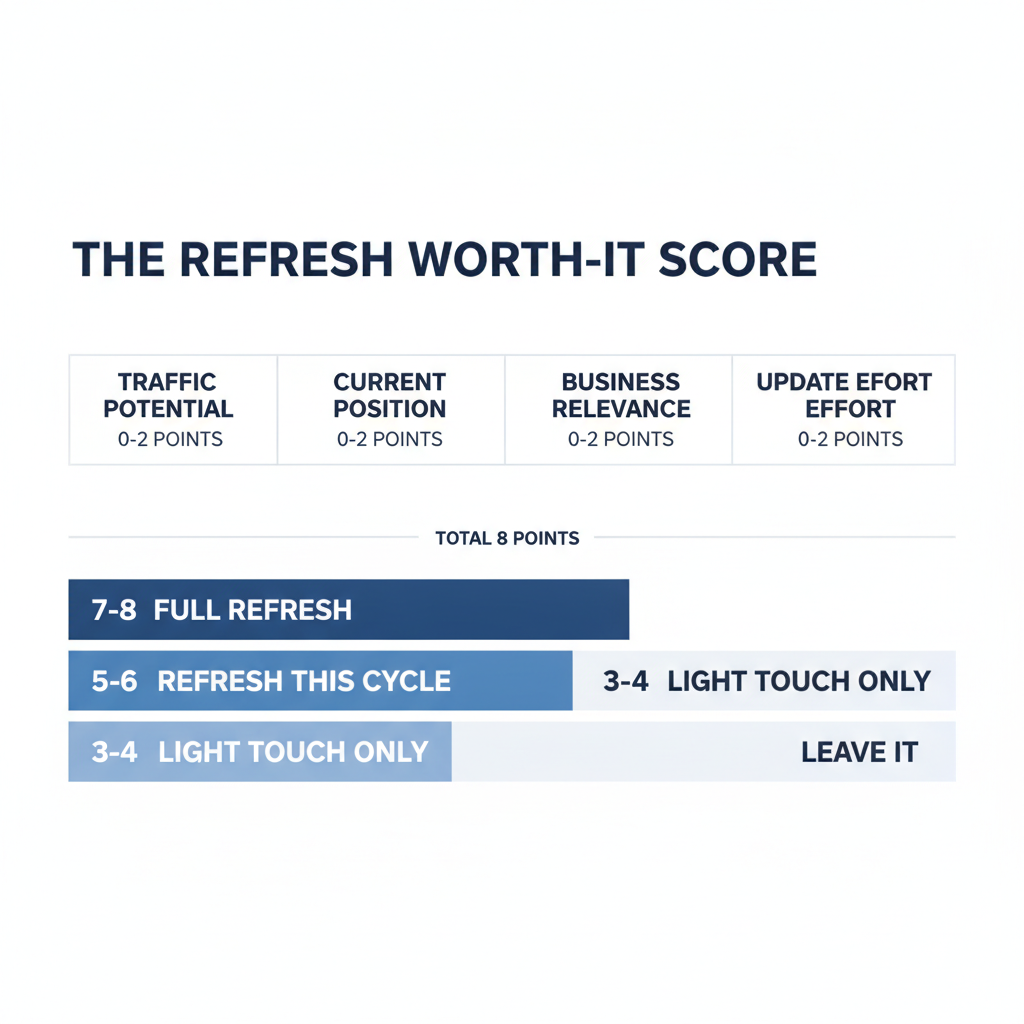
Before you touch a single post, score it. The Refresh Worth-It Score is four questions, each scored 0 to 2, added up for a total out of 8. Anything scoring 5 or higher gets refreshed this cycle. Anything below 3 gets left alone or retired.
- Traffic potential (0-2): 0 if the topic has no real search demand left, 1 if it is steady, 2 if impressions are climbing or the keyword has clear commercial intent.
- Current position (0-2): 0 if you are not in the top 50, 1 if you are positions 11-30, 2 if you are positions 4-10 (the highest-leverage zone, since you are close but not converting that visibility into clicks).
- Business relevance (0-2): 0 if the topic no longer matches what you sell, 1 if it is adjacent, 2 if it maps directly to a product, service, or stage in your funnel.
- Update effort (0-2, scored in reverse): 0 if it needs a full rewrite, 1 if it needs moderate updates, 2 if it just needs new data, links, and metadata.
The point of scoring update effort in reverse is simple: a post that is 80% of the way there and just needs new stats and better internal links will outperform a full rewrite on time spent, almost every time. Prioritize those first.
What the Score Tells You to Do
| Score | Action | Why |
|---|---|---|
| 7-8 | Full refresh this week | High potential, high relevance, low effort to fix |
| 5-6 | Refresh this cycle | Worth it, but not the most urgent |
| 3-4 | Light touch only | Update stats and links, skip a rewrite |
| 0-2 | Leave it or retire it | Not worth the time against higher-scoring posts |
If you have not pulled the underlying data yet, finding outdated posts through Google Search Console is the fastest way to get position and impression data for every post in one pass, before you start scoring anything.
The Actual Checklist
This is the part everyone is here for. Run through it in order for every post that scored 5 or higher.
Before You Touch the Content
- Pull current rank, impressions, and clicks for the post from Search Console (last 90 days)
- Check what is currently ranking above you for the primary keyword (has the SERP shifted since you published?)
- Note which sections of your post the top 3 competitors do not cover (your gap, your edge)
- Decide: light touch, moderate update, or full rewrite, based on the Worth-It Score
Content and Data
- Replace any statistic older than 12-18 months with a current, sourced number, or remove it
- Add anything competitors now cover that you do not
- Cut anything that no longer reflects how the topic actually works today
- Add one specific, practitioner-level observation that generic AI-written competitor content will not have (a pattern you have actually seen, not a fabricated anecdote)
- Tighten the opening so it answers the query in the first two sentences, not the third paragraph
Structure and On-Page
- Rewrite the title and meta description if either is vague, over length, or missing the primary keyword
- Check every H2 actually answers what it promises in the first sentence
- Update or rebuild the schema markup (Article schema at minimum, FAQ schema if the post has Q&A content) — this is the step almost every refresh guide skips, and it directly affects whether AI answer engines can parse and cite the page
- Add a comparison table or definition block if the post does not have one (these are the sections AI overviews quote most often)
Links
- Check every internal link still resolves to a live page (not a 404, not a redirect chain)
- Add 1-2 internal links to newer, more relevant posts that did not exist when this was first published
- Check external links still resolve and still support the claim they are attached to; replace dead ones
After You Publish
- Update the visible “last updated” date, but only because the content actually changed, not to fake freshness
- Re-submit the URL in Search Console for re-crawling
- Log the before/after position and impressions so you can tell in 30 days whether the refresh actually worked
How Long Each Refresh Type Actually Takes
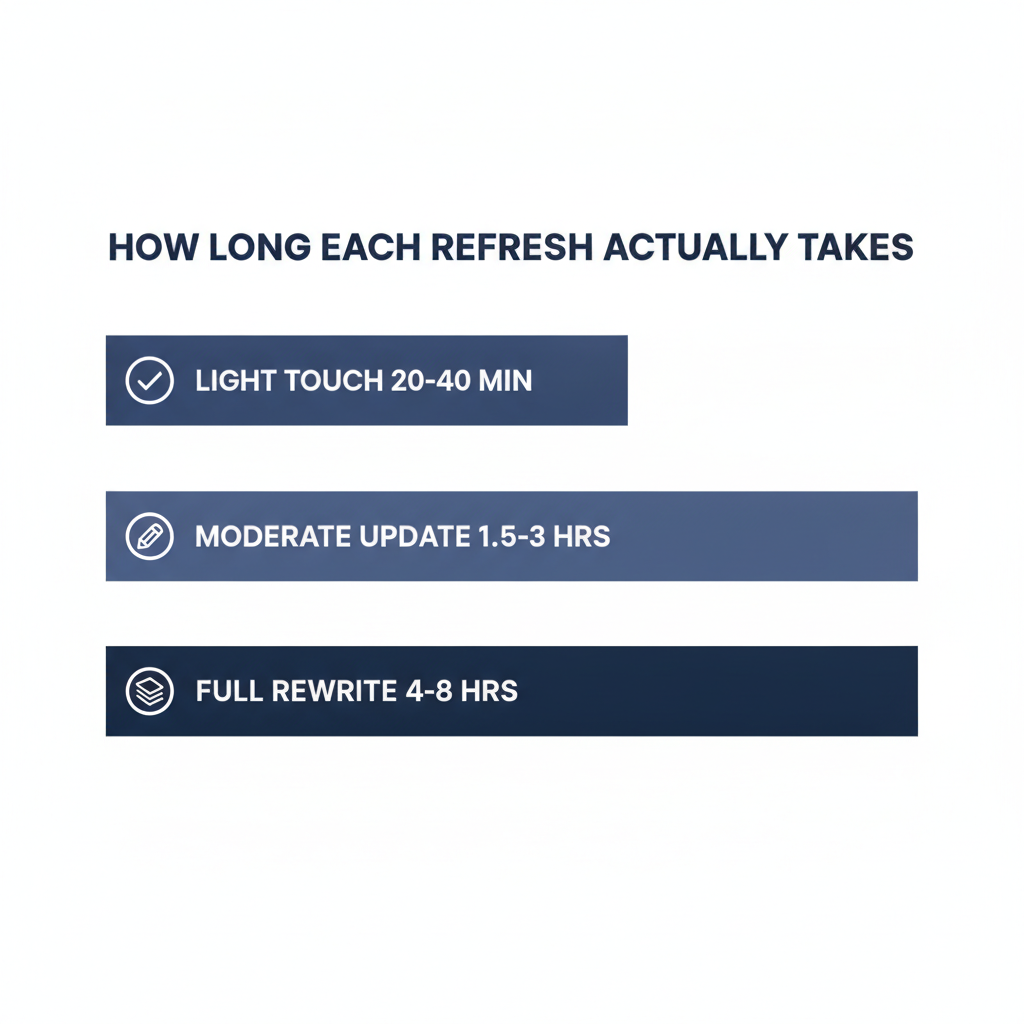
Most refresh guides skip this, and it is the reason refresh work keeps losing to net-new content on the priority list: nobody can estimate it, so it never gets scheduled. Here is a realistic range, assuming you already have your Worth-It Score data in hand.
| Refresh Type | Typical Time | What’s Included |
|---|---|---|
| Light touch | 20-40 minutes | New stats, fix broken links, update metadata, refresh schema |
| Moderate update | 1.5-3 hours | Light touch, plus one or two new sections, updated examples, restructured intro |
| Full rewrite | 4-8 hours | New research, new structure, largely new prose, full schema rebuild |
If a moderate update is taking longer than three hours, you are probably doing a full rewrite without admitting it. Reclassify it and budget accordingly, or you will keep underestimating every refresh after this one.
What Most Teams Get Wrong
The most common mistake is treating every post the same way. Teams either refresh everything on a fixed schedule regardless of whether it is worth it, or they only ever touch their top three posts and let the long tail of decent-but-not-great content rot. Neither works. The Worth-It Score exists specifically so you stop guessing and start prioritizing based on actual leverage. One pattern shows up constantly in B2B refresh queues: priority gets decided by whoever complains loudest in Slack, not by the score. The post a stakeholder is annoyed about jumps the line over a post that is actually one fix away from page one. The score exists to stop that.
The second mistake is updating the date without updating the substance. Google’s own guidance on helpful content lists this explicitly as a warning sign of search-engine-first content: “Are you changing the date of pages to make them seem fresh when the content has not substantially changed?” If you touch the date, touch the content first.
The third mistake is skipping structured data. Most refresh checklists focus entirely on the visible page and ignore the schema markup sitting underneath it, even though that markup is increasingly what AI answer engines actually parse when deciding what to cite.
Content Refresh FAQs
How often should B2B blog posts be refreshed?
There is no universal number. Score posts using the Worth-It Score and refresh the highest scorers on a rolling basis rather than a fixed calendar date. A post in a fast-moving category (AI tools, for example) needs attention every few months. An evergreen process guide can go a year or more untouched.
What is the difference between a refresh and a full rewrite?
A refresh updates data, links, structure, and metadata while keeping the core argument and most of the existing text. A full rewrite replaces the substance because the original angle, structure, or information is no longer accurate or competitive. Use the Worth-It Score’s effort question to decide which one a given post needs.
Does updating the publish date help rankings on its own?
No. Google has been explicit that changing a date without a substantial content change is a red flag, not a ranking signal. Update the date because the content changed, not as a shortcut to look fresh.
Should every old blog post be refreshed?
No. Posts scoring low on traffic potential, business relevance, and ranking position are usually better left alone or retired (merged into a stronger page, or redirected) than refreshed. Refreshing a post nobody will ever find wastes time you could spend on a post that is one update away from converting.
What should be updated first if I only have an hour?
Pick your single highest-scoring post on the Worth-It Score and run the “Before You Touch the Content” and “Links” sections only. Stats and broken links are the fastest wins with the least effort, and broken internal links in particular quietly cost you ranking equity every day they stay broken.
What To Do Next
Pull your last 90 days of Search Console data, score every post you are considering with the Worth-It Score, and refresh strictly in order of score, highest first. Do not start with your favorite post or your oldest post. Start with the one that scores highest. If you have not run a full audit yet, start with a real content audit before you try to prioritize refreshes, since you cannot score what you have not measured. And if a post scores a 1 or 2, let it go. Refreshing it is not free, even if writing felt free the first time.
Save the scoring table above somewhere your team will actually reopen it. The teams that stick with this past one cycle are the ones who turn it into a recurring 30-minute slot on the calendar, not a one-off Friday afternoon project.
