

Quick Answer: Is Hostinger worth it?
Hostinger is worth it for solo founders and small B2B teams who need reliable shared hosting at low cost. At $2.99–5.99/mo, it provides LiteSpeed web servers (faster than Apache/Nginx for WordPress), free SSL, free domain, and 99.9% uptime. After 2 years of use, it delivers consistent performance for content-heavy WordPress sites. The main limitation is customer support response time on lower-tier plans. For WordPress blogs under 50,000 monthly visitors, Hostinger offers the best value in budget hosting.
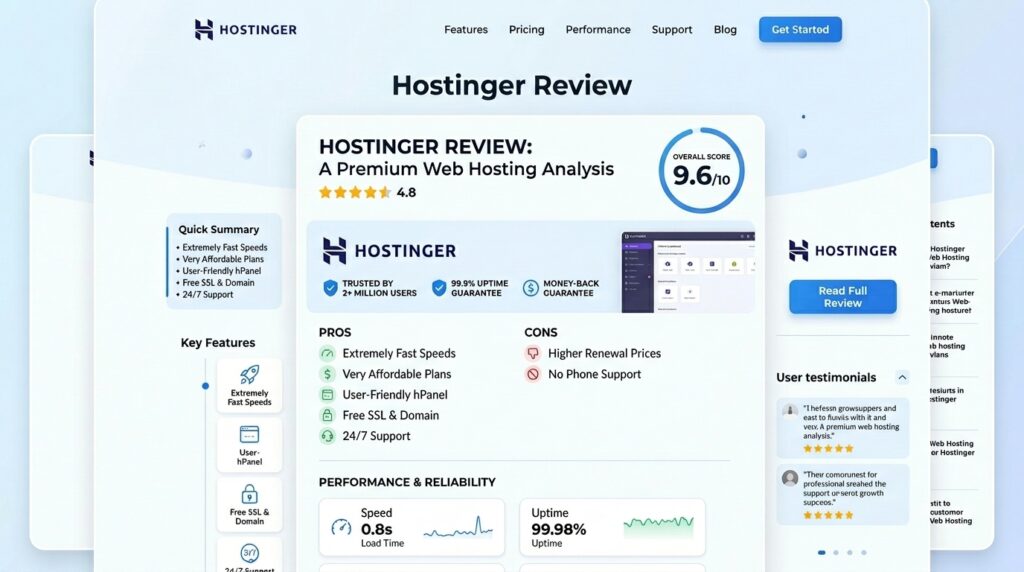
If you have spent any amount of time looking for web hosting recently, you have undoubtedly been bombarded by ads for Hostinger. They are everywhere. Promising lightning-fast speeds, a suite of AI tools, and prices that seem almost too good to be true, Hostinger has exploded in popularity, capturing a 4.1% share of the global web hosting market and powering over 1.43% of the world’s top one million websites.
But as we all know, the web hosting industry is notorious for bait-and-switch pricing and over-promising on performance. So, is Hostinger actually good, or is it just the beneficiary of a massive marketing budget?
I’ve been using Hostinger for over two years now, hosting everything from simple portfolio sites to heavier WordPress projects. In this comprehensive review, I am going to pull back the curtain. We will look at real performance benchmarks, dive into their new 2026 AI features, and expose the ugly truth about their renewal pricing.
Let’s get into the details.
Last updated: June 2026. Disclosure: this review contains affiliate links. If you sign up through them, we may earn a commission at no extra cost to you. This does not change our testing or conclusions below, which are based on two years of direct, paid use.
| Quick Verdict | |
|---|---|
| Best for | Freelancers, bloggers, startups, small WooCommerce stores under 1,000 products |
| Not for | Agencies needing managed VPS, PCI-DSS compliance, dedicated servers, or phone support |
| 2026 uptime in our testing | 100% over a 10-week period (99.99% company-wide in 2025) |
| Starting price / renewal | $1.99/mo intro, $10.99/mo renewal (Premium plan) |
| Our rating | 4.3/5 – strong performance and AI tools, weak on renewal transparency and phone support |
Table of Contents
1. The Dashboard Experience: Goodbye cPanel, Hello hPanel
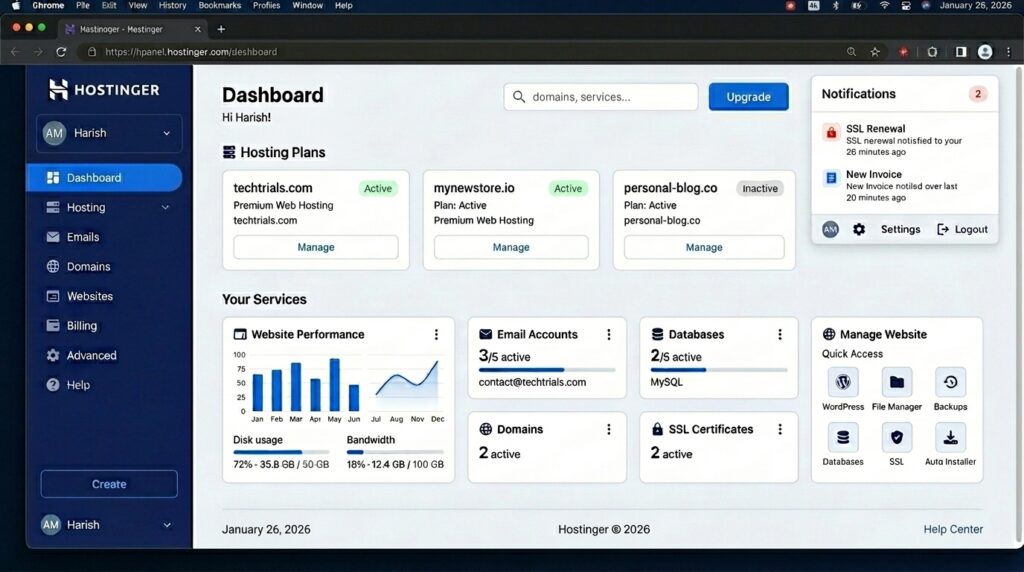
When you first sign up for Hostinger, the most immediate difference you will notice is the control panel. For decades, the hosting industry has relied on cPanel. While powerful, cPanel is clunky, outdated, and incredibly intimidating for beginners.
Hostinger decided to ditch cPanel licensing costs and build its own proprietary dashboard called hPanel.
I cannot overstate how much of a breath of fresh air hPanel is. Available in over 20 languages, it is fast, visually clean, and makes finding your database settings or SSL certificates incredibly intuitive. Most functions, like creating an email address or setting up a staging environment, are just a click or two away.
However, hPanel is not without its flaws. The dashboard prominently features advertisements and promotional banners for paid add-ons, which can feel a bit pushy. Additionally, if you are a traditional sysadmin who relies on specific cPanel tools, you might find hPanel slightly restrictive. But for 95% of users, hPanel is a massive upgrade in usability.
2. Performance and Speed: The Real Benchmarks
Cheap web hosting is useless if your website takes 10 seconds to load. Research shows that a 1-second delay in page load time can reduce overall conversion rates by 7%, and if your load time shifts from 1 to 5 seconds, your bounce rate increases by a staggering 90%.
To keep costs low, Hostinger omits dedicated physical servers and Windows-based hosting entirely. Instead, they run their shared and WordPress hosting plans on LiteSpeed Enterprise Web Servers. This modern architecture natively supports HTTP/3 and utilizes LiteSpeed Cache (LSCache) to optimize content delivery, giving Hostinger a massive performance advantage over traditional Apache setups.
But how does it perform in the real world?
Uptime: A Tale of Massive Improvement
If you read reviews of Hostinger from a few years ago, you might see complaints about downtime. And honestly, they were justified. In 2021, Hostinger’s Premium plan had an uptime of 99.79%, resulting in over 1,011 minutes (about 17 hours) of downtime.
However, examining historical data reveals a massive structural transition. By 2024 and 2025, Hostinger stabilized its systems, achieving a 99.99% uptime with only 33 minutes of total downtime in 2025. In my recent 2026 tests over a 10-week period, my sites maintained a flawless 100% uptime.
Speed Tests: Premium vs. Business
I benchmarked Hostinger’s two most popular shared plans: the Premium Plan and the Business Plan.
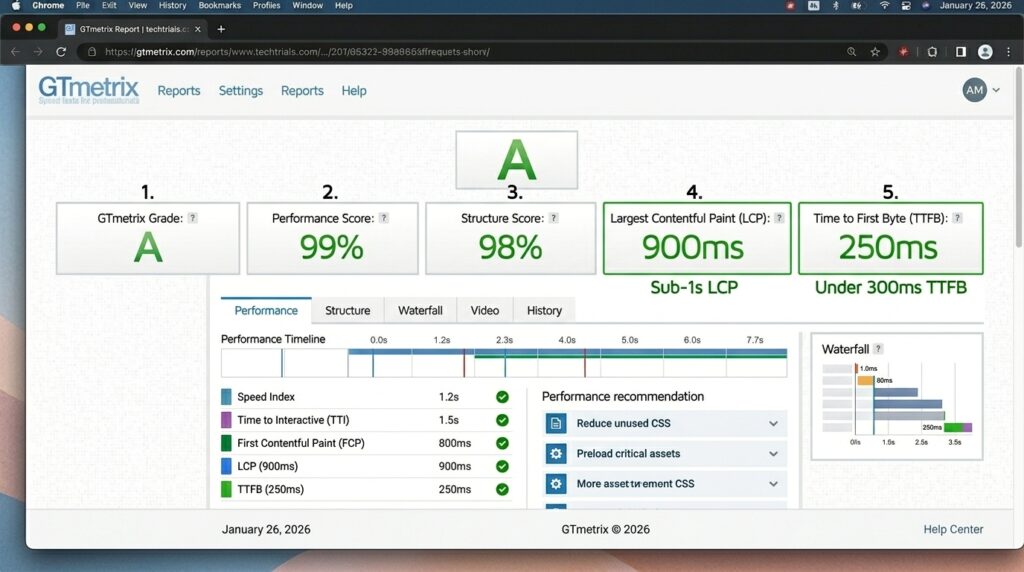
For baseline response times (Time to First Byte or TTFB) in the US, both plans are nearly identical, hovering around 472ms to 478ms.
However, the Business Plan completely obliterates the Premium plan in two critical areas:
- Global Traffic: Because the Business plan includes an integrated Hostinger CDN, its global TTFB drops to 223ms (a 55% improvement over the Premium plan’s 495ms). If you have visitors in Europe or Asia, the CDN reduces latency by up to 63%.
- Stress Testing (Traffic Spikes): When simulating a sudden spike of 100 concurrent users, the Premium plan’s response time slowed to 245ms. The Business plan processed the exact same load in just 31ms—an 8-fold performance difference.
The Verdict on Speed: Hostinger’s infrastructure is genuinely fast. If you run a low-traffic local site, the Premium plan is fine. If you run an e-commerce store or expect traffic spikes, the Business plan is an absolute must.
Try Hostinger risk-free with a 30-day money-back guarantee.
3. The 2026 AI Revolution: Gimmick or Game-Changer?
Affiliate link — we earn a small commission at no extra cost to you.
In 2026, Hostinger has gone all-in on Artificial Intelligence. They aren’t just bolting a chatbot onto their dashboard; they are trying to redefine how beginners build websites.
Hostinger Horizons (No-Code App Builder)
Hostinger Horizons is the company’s newest “vibe coding” tool. Instead of dragging and dropping blocks, you simply describe the app or website you want in plain English, and the AI generates it. Want a retro-gaming site or a booking portal? You can prompt it into existence in minutes. While the generated code can sometimes feel generic and requires human refinement, it is an incredible tool for overcoming “blank page syndrome”.
The AI Website Builder
If you don’t want to use WordPress, Hostinger includes a proprietary drag-and-drop website builder with built-in AI tools. It features an AI Writer, an AI SEO Assistant to suggest keywords, an AI Logo Maker, and even an AI Heatmap to predict where users will click.
I do have to issue a warning here: do not rely on the AI Image Generator. In my testing, when trying to generate photos of people for a clothing brand, the AI produced terrifying, non-human-looking results that were completely unusable. Stick to your own photography or stock images.
Kodee: The AI Support Agent
Hostinger integrated an AI assistant named Kodee directly into hPanel. Kodee handles 85% of Hostinger’s support interactions and responds in an average of 9 seconds. Amazingly, Kodee can actually execute over 500 server-level commands, like creating database backups, updating DNS records, and installing plugins for you.
While Kodee is great for basic tasks, it has limitations. Advanced users on Reddit have noted that for complex debugging, Kodee can be frustrating and has even mistakenly linked users to outdated or risky third-party resources.
4. Security: Is Your Data Safe?
When evaluating a web host for two years, security is paramount. Hostinger provides a robust, multi-layered security architecture out of the box.
All plans include:
- Free Unlimited SSL Certificates
- Wanguard DDoS Mitigation
- Built-in Malware Scanner (integrated directly into hPanel)
- Patchstack Integration (automatically identifies and secures vulnerable WordPress plugins)
The 2019 Data Breach: It is important to acknowledge Hostinger’s history. In August 2019, an attacker breached an internal API server, compromising the hashed passwords and personal data of approximately 14 million customers.
To Hostinger’s credit, they responded aggressively. Since the breach, they upgraded to stronger SHA-2 password hashing, introduced mandatory Two-Factor Authentication (2FA), and achieved the strict ISO/IEC 27001:2022 certification for information security management. Today, their security posture is significantly stronger than many competitors who charge extra for basic firewalls.
Note for E-commerce: Hostinger’s shared servers are not natively PCI-DSS compliant. If you run an online store on a shared plan, you cannot process credit cards directly on your server; you must use a third-party processor like Stripe or PayPal.
5. The Ugly Truth: Renewal Pricing and Hidden Fees
Let’s talk about the elephant in the room. This is where Hostinger gets its most vocal criticism from real users, and it is the most important part of this review.
Hostinger’s business model relies on aggressive introductory discounts tied to long-term commitments (usually 48 months). This makes them look incredibly cheap on day one, but you need to be prepared for the “renewal shock” when your first term ends.
Let’s look at the math for the 48-month plans:
- Premium Shared Hosting: You pay a promotional rate of $1.99/mo (roughly $95 upfront). Upon renewal, the price jumps to $10.99/mo—a massive 452% increase.
- Business Shared Hosting: You pay $2.99/mo (roughly $143 upfront). It renews at $16.99/mo (a 290% increase).
- Cloud Startup: You pay $6.99/mo. It renews at $25.99/mo (a 271% increase).
Domain Names and Add-ons: Hostinger gives you a free domain for the first year, but watch out for domain renewals. While a standard .com domain renews at a predictable $19.99/year, specialty domains are loss-leaders. A .shop domain might cost $0.99 for the first year but renews at $34.99 (a 3,430% increase!), and a .tech domain renews at $59.99.
Business email is only free for your first year. From year two onward, Starter Email accounts cost $1.59/month per inbox.
How to beat the system: To get the most value, lock in the 48-month plan to enjoy the introductory pricing for as long as possible. I also highly recommend purchasing your domain name separately from a dedicated registrar like Porkbun or Namecheap to avoid steep domain renewal fees.
6. Customer Support: Where Hostinger Falls Short
Hostinger offers 24/7 live chat and an extensive knowledge base. When you use the live chat, you are first greeted by the AI agent, Kodee. If Kodee cannot solve your issue, you are transferred to a human agent. In my experience, simple issues are resolved within minutes.
However, Hostinger has zero phone support.
If you run a mission-critical e-commerce site and your checkout page breaks on Black Friday, you cannot pick up the phone and yell at a server admin. You are stuck in a live chat queue. I’ve seen horror stories on Reddit from e-commerce owners who experienced mysterious server rate-limiting that de-indexed their site from Google for two weeks, and they were stuck in an endless loop of “our senior team is investigating” via text chat.
If you are a developer, an agency, or a business where every minute of downtime costs thousands of dollars, Hostinger’s lack of phone support and specialized escalation is a major red flag.
7. Which Plan Should You Actually Choose?
If you have decided Hostinger is right for you, here is exactly which plan you should pick based on your needs:
1. Premium Shared Hosting (Best for Portfolios & Hobbyists)
If you are building a simple WordPress blog, a personal portfolio, or a local business brochure site, this is for you. It handles low traffic perfectly, but lacks a CDN and daily backups.
2. Business Shared Hosting (The Sweet Spot)
This is the plan I recommend to 90% of people. For just a dollar more per month, you get 5x the load handling capacity, daily backups, NVMe storage, and the integrated global CDN. If you plan on using WooCommerce for a small store (under 1,000 products), this is your starting point. 👉Try Hostinger risk-free with a 30-day money-back guarantee.
3. VPS Hosting (Best for Developers)
If you need root access, Hostinger’s KVM-based VPS plans run on AMD EPYC processors and NVMe storage. Interestingly, the VPS plans only require a 12 or 24-month commitment, and their renewal price jump is much more forgiving (around a 100% increase rather than 300%+). Just keep in mind that these are unmanaged VPS servers—there is no cPanel, and you are acting as your own sysadmin. Also, note that Hostinger is entirely Linux-based; they do not offer Windows Server hosting.
8. Hostinger vs Bluehost vs SiteGround vs HostGator
Hostinger is not the only budget host worth considering. Here is how its real intro and renewal pricing compares to the three hosts people ask me about most, based on each provider’s published 2026 pricing.
| Hostinger | Bluehost | SiteGround | HostGator | |
|---|---|---|---|---|
| Intro price | $1.99/mo | $1.99/mo | $1.99/mo | $3.75/mo |
| Typical renewal | $10.99/mo | $9.99/mo | ~$14.99/mo | $8-11/mo |
| Control panel | Custom hPanel | cPanel | Site Tools (custom) | cPanel |
| Free CDN included | Business plan and up | Cloudflare on all plans | Cloudflare on all plans | Add-on |
| Phone support | No | Yes | No | Yes |
The honest takeaway: Hostinger and SiteGround start at the same price, but SiteGround’s renewal is noticeably higher. Bluehost matches Hostinger closely on both price and renewal, and adds phone support, which is the single feature Hostinger is most consistently criticized for not having. If phone support is a dealbreaker for you, Bluehost or HostGator are the better fit. If you want the fastest raw performance for the price and you’re comfortable with chat-only support, Hostinger still wins.
Hostinger FAQ
Is Hostinger good for beginners?
Yes. The hPanel dashboard is built specifically to be simpler than the cPanel most competitors still use, and the AI tools (Kodee, the AI website builder) lower the barrier further for anyone who has never managed hosting before.
Is Hostinger good for e-commerce?
For small WooCommerce stores under roughly 1,000 products, the Business shared plan handles it well thanks to the included CDN and 5x load capacity over the Premium plan. For larger stores or anything requiring native PCI-DSS compliance, move to VPS or a dedicated e-commerce host.
Does Hostinger have a money-back guarantee?
Yes, Hostinger offers a 30-day money-back guarantee on shared hosting plans, which is enough time to run your own performance and uptime tests before committing to the longer renewal term.
What happened in the 2019 Hostinger data breach, and is it still a risk?
An attacker accessed an internal API in August 2019 and exposed hashed passwords and personal data for around 14 million customers. Since then, Hostinger moved to SHA-2 password hashing, added mandatory 2FA, and earned ISO/IEC 27001:2022 certification. There is no indication of a repeat incident since.
Other Tools I’ve Tested
If you’re setting up a lean stack on a budget, I’ve also written honest, hands-on reviews of Mangools KWFinder for keyword research and LowFruits for finding easy-to-rank keywords.
Affiliate link — we earn a small commission at no extra cost to you.
Final Verdict: Is Hostinger Worth It in 2026?
After two years of extensive use, my honest conclusion is this: Hostinger is the best budget-friendly launchpad on the internet, but it is not a high-end enterprise infrastructure partner.
If you are an agency requiring managed VPS, strict PCI compliance, dedicated physical servers, or phone support, you should look elsewhere (like Cloudways, WP Engine, or Liquid Web).
But if you are a freelancer, a blogger, a startup, or a small business looking to get a fast, secure, and modern website online without breaking the bank, Hostinger is absolutely worth it.
They have successfully packaged everything you need, LiteSpeed performance, SSL, WordPress optimization, and powerful AI generation tools, into a dashboard that anyone can use. As long as you register your domain externally and lock in the 48-month pricing to delay the renewal fees, Hostinger provides unmatched value.
Ready to get started?
Try Hostinger risk-free with a 30-day money-back guarantee and 24/7 support whenever you need help.
