
Quick Answer: How do you prioritize blog posts for a content refresh?
Start by pulling Google Search Console data to find posts with 10–200 impressions but under 2% CTR — these have search demand but weak titles or meta. Next, prioritize posts within striking distance of page 1 (positions 11–20). Finally, prioritize posts with high affiliate or conversion value regardless of traffic.
Disclosure: Some links in this post are affiliate links. If you sign up through them, I may earn a commission at no extra cost to you. I only recommend tools I believe are genuinely useful.
To prioritize blog posts for a content refresh, score each post on how close it already is to ranking well, how much business value it carries, and how much work it would actually take to fix. Posts that score high on potential and low on effort go first. Everything else waits. Most teams get this wrong by refreshing whatever post is oldest or whatever a stakeholder happens to notice that week, which wastes time on pages that were never going to move the needle.

Why Refreshing by Age or Gut Feeling Fails
The instinct most teams follow is to refresh the oldest posts first, or whatever post someone on the team happens to remember. Neither has anything to do with whether the refresh will actually move traffic. A five-year-old post sitting at position 45 for a low-volume keyword is not worth an afternoon of your time. A two-year-old post sitting at position 12 for a term with real search demand is exactly the kind of page a refresh can push onto page one.
The fix is not more content audits. It is a smaller, sharper list built from data you likely already have sitting in Google Search Console for free. You do not need Screaming Frog, Surfer, or an enterprise SEO platform to build this list. You need three columns from GSC and about twenty minutes.
The Refresh Priority Score: A Framework Built for Small Teams
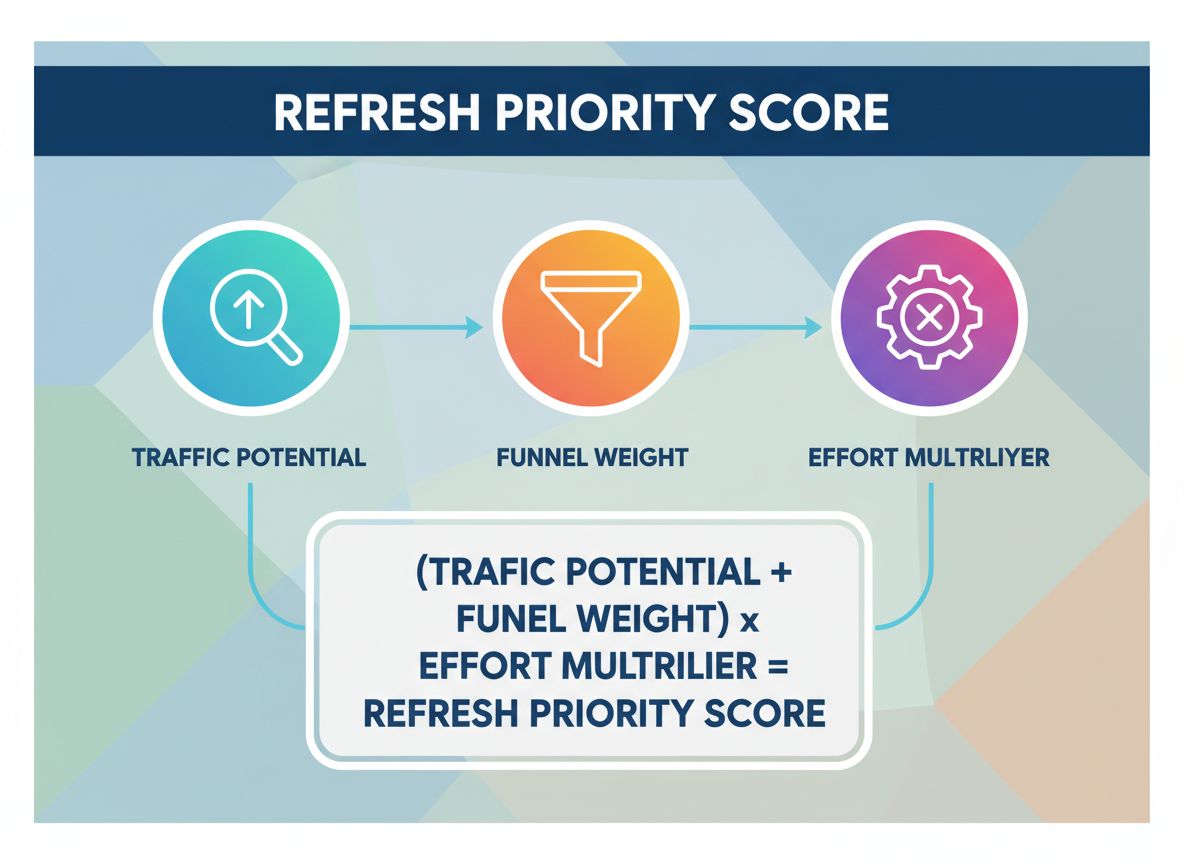
The Refresh Priority Score (RPS) ranks your existing posts by combining three things: how close a post already is to ranking well, how much that topic matters to your funnel, and how much work the fix would take. The formula is simple on purpose: RPS = (Traffic Potential + Funnel Weight) × Effort Multiplier.
Traffic Potential comes straight from your GSC average position for the page’s primary query, scored 1 to 5. Posts sitting at position 4 to 10 score a 5, since they are one nudge away from page one. Position 11 to 20 scores a 4. Position 21 to 30 scores a 3. Anything past position 50 scores a 1, because no amount of refreshing overcomes that much distance in most competitive niches.
Funnel Weight scores how much the topic matters to revenue: BOFU content scores 3, MOFU scores 2, TOFU scores 1. A refresh on a bottom-funnel comparison page is worth more to your pipeline than the same effort spent on a broad awareness post, even if both sit at the same position.
Effort Multiplier is where most scoring systems fall apart, because they ignore how much work a fix actually costs. Score it 1.0 for a quick edit like updating stats or adding a missing section, 0.75 for a moderate rewrite of a few sections, and 0.5 for a full rebuild. A high-potential page that needs a full rebuild might still lose to a decent page that only needs twenty minutes of work.
Calculate Your Own Refresh Priority Score
Calculate Your Refresh Priority Score
The Refresh Decision Matrix
Once you have RPS scores, sort posts into four buckets based on traffic potential and effort required. This turns a long spreadsheet into a short action list.
| Bucket | Traffic Potential | Effort Required | What to Do |
|---|---|---|---|
| Quick Wins | High (position 4 to 20) | Low (quick edit) | Refresh this week. Highest ROI on your time. |
| Worth the Work | High (position 4 to 20) | High (rewrite or rebuild) | Schedule into your next sprint. Still worth doing, just not urgent. |
| Low Priority | Low (position 30+) | Low (quick edit) | Fix only if you have spare time. Low ceiling on upside. |
| Consolidate or Cut | Low (position 30+) | High (rewrite or rebuild) | Merge into a stronger page or remove it. Not worth the investment. |
How to Build Your Refresh List in Under an Hour
This workflow assumes you are a solo marketer or a small team without a dedicated SEO tool budget.
- Open Google Search Console and go to Performance, then Pages. Set the date range to the last 6 months.
- Export the list and sort by impressions descending. Pages with meaningful impressions but low clicks are your candidate pool.
- For each candidate, check the average position for its top query. Score Traffic Potential 1 to 5 using the scale above.
- Tag each post with its funnel stage and assign the Funnel Weight.
- Estimate effort honestly. Open the post and decide in under a minute whether it needs a quick edit, a moderate rewrite, or a full rebuild.
- Calculate RPS for each post and sort the list highest to lowest. Your top five are this month’s refresh queue.
What Most Teams Get Wrong
The most common mistake is refreshing posts that are already ranking well. A page sitting at position 2 does not need your attention nearly as much as one sitting at position 14, but it feels safer to touch the page that is already succeeding. That instinct wastes hours that could go toward pages with real headroom.
The second mistake is scoring traffic potential without factoring in effort. A spreadsheet full of high-potential pages means nothing if half of them need a ground-up rewrite you do not have time for this month. The pages that actually get refreshed are the ones that make it onto your calendar, and effort is what determines whether that happens.
The third mistake, and the one we see most often in solo-operator audits, is refreshing a post once and never checking whether it worked. Without a before-and-after position and click comparison, you cannot tell if your refresh formula is actually working or if you are burning hours on guesswork with better formatting.
Frequently Asked Questions
How many posts should I refresh per month?
For a solo marketer or small team, three to five high-RPS posts a month is realistic without derailing new content production. Refreshing more than that usually means new content output stalls, and a content engine needs both new and refreshed posts to grow.
Do I need Screaming Frog or Surfer to prioritize refreshes?
No. Google Search Console alone gives you position, impressions, and clicks, which is enough to calculate Traffic Potential and spot decay. Paid tools add competitor gap analysis and content scoring, but they are not required to build a working priority list.
Should I refresh a post that ranks on page one already?
Usually not as a priority. Page one posts have already proven their content is good enough to rank. Your time is better spent on posts stuck on page two or three, where a refresh can produce a bigger jump in visibility.
What counts as a “quick edit” versus a “full rebuild”?
A quick edit means updating statistics, fixing a broken section, or adding one new subsection, something you can do in under 30 minutes. A full rebuild means the structure, examples, or core argument are outdated enough that you are effectively rewriting the post from scratch.
How often should I recalculate Refresh Priority Scores?
Recalculate quarterly. Rankings and impressions shift enough over three months to change which posts deserve priority, and quarterly recalculation keeps your refresh queue current without turning into a weekly chore.
What if two posts have the same RPS?
Break the tie with Funnel Weight first, since a bottom-funnel page refresh has a more direct line to revenue than a top-funnel one. If funnel stage is also tied, pick the post with more existing backlinks, since it has a stronger foundation to build on.
What To Do Next
Pull your Google Search Console performance data for the last six months and score your ten highest-impression, lowest-click pages using the Refresh Priority Score above. Prioritize the Quick Wins bucket first since that is where your time returns the most traffic per hour invested. Before you touch anything, run each candidate through our Content Refresh Checklist so you update the right things in the right order. If you are not sure which pages are decaying in the first place, start with How to Find Outdated Blog Posts Using Google Search Console to build your candidate list before scoring it.
Sources referenced: Quattr’s content refresh framework and Insight Savvys’ weighted scoring guide were used to benchmark scoring approaches referenced in this post.
